Hi @Hugh_Soward
Arkio will keep a copy of the previously imported resources on that device in the Create>Import UI unless you remove them by clicking on the delete icon in the import placement panel. This will remove the processed resource in Arkio as well as the source file from your imports.

Deleting your import source files from the import folder (or from your Arkio cloud group if used) will not affect previously loaded resources in Arkio directly so you would have to go through these resources one by one to remove them from your device.
If you want to change a lot of resources at once you can also remove any source files from your import folder (and disconnect from any Arkio cloud group) and then “Clear & Restart” your imported resources from the settings panel.
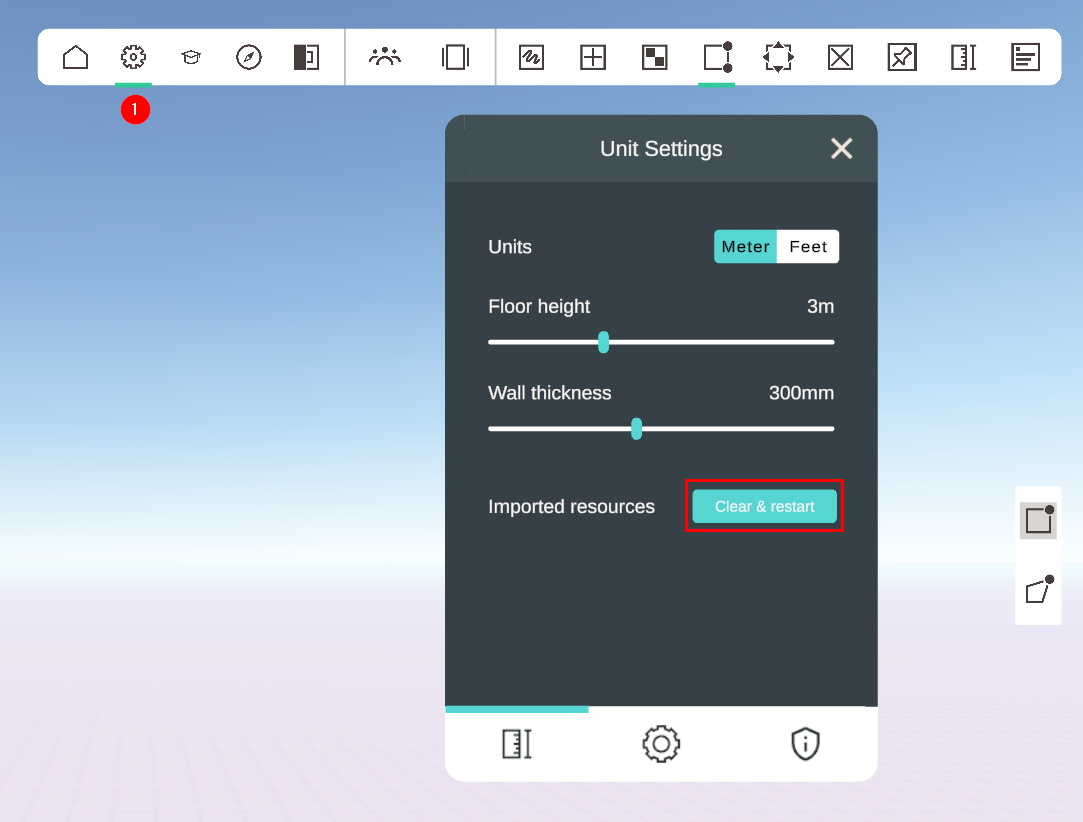
This will remove all your previously processed resources and reimport any resources that are still in your source import folder (or redownloaded from the Arkio cloud and then processed) when running Arkio again.